
Meta2
2 months agoNew Member
Suppress Auto-Update Check in LogMein Client
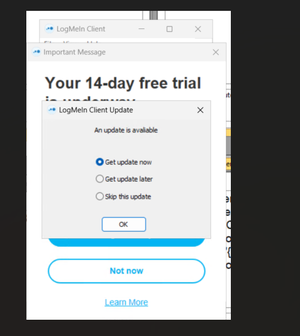
Is there a supported method to suppress or disable the automatic check for updates silently through file or registry or command line argument to be passed during installation? On launching shortcut,...
- 2 months ago
Meta2 The Host software behavior can be controlled using the Host Preferences package to do this. Modify how the host interacts with your local network and manages its connection: https://support.logmein.com/central/help/deploy-preferences-for-network-and-connection-settings-host-preferences-central-t-central-hpp-networkconnectionsettings
For the Client software, it will always check for updates after the first successful sign-in. If you choose the "Skip this update" option when it is presented, the Client will not check for updates again until a new version is installed.
(updated 12/15/25)


