Console App stuck on "Email verification pending"
Not sure why this is an issue, or what is even causing it, but this only seems to be an issue with the desktop application (not the web app version). I currently run Windows 11 (which I don't think is the problem). I already tried reinstalling the application (and wiping the residual data prior to reinstall), but the issue still occurs. Is this a new bug that hasn't been caught yet? It's been really irritating having to swap back into the browser to use GoTo Resolve.1.1KViews0likes4Comments
Screen scaling - a 1280x1024 Customer screen is not showing correctly on a 1920x1080 screen
Screen scaling a great feature - leaves some mixed feelings. On the bright side - it works. But not exactly as I would expect. (The same applies to "GoToAssist".) a) My Customer Server screen resolution is set to 1280x1024. On my Agent PC resolution is set to 1920x1080 both monitors are widescreen 9:16. If I select a "100%" magnification - the Client 1280x1024 image do not fit my Agent PC using the 1920x1080 resolution? "Fit" - seem to scale image to 100% (by the pixel count). b) My Customer Server screen resolution is set to 1600x1200 (3:4). On my Agent PC resolution is set to 1920x1080 both monitors are widescreen 9:16. If I select a "100%" magnification - the resulting image that should(?) be 1600 pixels wide do not fit and wider 1920 pixels resolution screen on the Agent's PC? -- Yes, scaling works. But using its own logic. On the Bright side - scaling helps when we need dial into the third Computer from the Customer Computer. "617Views0likes0CommentsUnattended access in stall on MacOS using intune
As the title states i cannot seem to get Unattended access deployed via Intune to our MacOS machines. I followed the below Documentation and seems to error out each time in Intune stating "This file type is not supported" which Intune says it is which i am using the PKG file. Anyone run into the same issue or have any ideas? https://support.logmein.com/resolve/help/logmein-resolve-unattended-pkg-deployment-in-intune-microsoft-endpoint-manager60Views0likes3Comments
User incorrectly logged out at end of session to Hyper-V VM but not physical machine
So far, I am only experiencing this issue on my Hyper-V VMs. I've used GoTo Assist for years and recently switched to GoTo Resolve. I've always been able to either lock a computer and end the session, or just end the session, and the remote computer would lock the screen. I could connect again later to find all the open programs and files still there so I could pick up where I left off. Now that I'm on GoTo Resolve, if I am logged into a Hyper-V VM server and lock + end session or just end the session, my user is logged out. Connecting to physical servers or desktops does not log me out if I end the session. Since it is only logging me out on VMs, I'm not sure if this is a Hyper-V or GoTo Resolve setting?44Views0likes2Comments
RDP session names not displayed
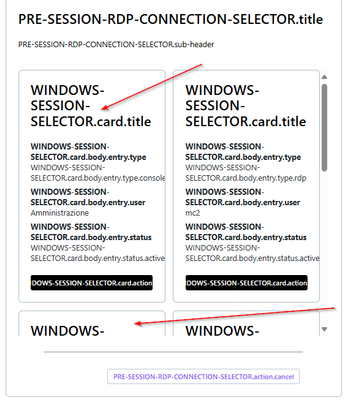
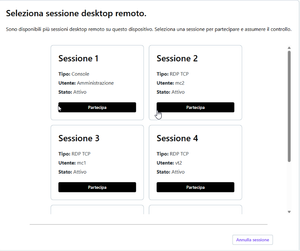
Good morning, I really appreciate the new feature to be able to choose the session to connect to in RDP, I tested it and everything works, the only strange thing is that when I try to connect I don't see the name of the sessions but this, I attach screenshot. Thanks, regards CristianoSolved41Views0likes1Comment