administration
24 Topics
Amending the auto-response / creating templates
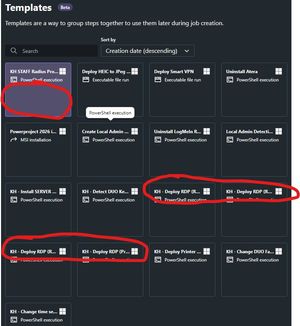
Hello, I was wondering if there’s a way to amend the auto‑response when a user raises a change request. For example, when a change is requested, could the auto‑reply send back a form (e.g. a MS Form) with mandatory fields to ensure we receive all the information needed? Alternatively, is there a feature to create different ticket templates that can be linked to specific categories? Apologies if this already exists, I wasn’t able to find anything in the admin portal. Many thanks!35Views1like2Comments
Dashboard only access & customisation
It would be great to have a dedicated account or way of accessing the dashboard only without access to all other GoTo Resolve admin functions. E.g. showing the dashboard on monitoring screens. It would also be nice to be able to add/remove widgets to the dashboard to make it more relevant to your own needs.10Views0likes0CommentsShow status as online when installing Windows updates
We are currently migrating from Central to Resolve, using unattended in both cases. One difference that we've noticed is that if a computer is rebooted to finish updates and it goes to the black screen that says please wait with spinning logo (either right before the reboot or right after), Central shows the computer as online and you can connect to it remotely to see the screen. Resolve on the other hand shows the computer as offline and remote connection is not available until updates and completely finished and it hits the login screen. We haven't removed Central yet because of this difference. Many times we've had to use Central to see if a computer is truly offline or it's just at that "please wait installing updates" screen. It would be really nice if Resolve could match Central's behavior in this regard.69Views1like1Comment
Reset Antivirus Alerts
We have devices with antivirus alerts which Resolve flags as critical. At times the file that caused the alert is deleted, and Symantec Endpoint Protection can no longer act on it, and the alert in Resolve cannot be cleared. The only solution I found is to delete and reinstall SEP. I would like there to be a way in Resolve to mark the alert as resolved.39Views1like0Comments
Centralized User Management for Connect and Resolve
I understand that Resolve was technically another product before it became GoTo/LogMeIn Resolve, but one of the most useful additions would be to have centralized user management between the products, right now they are divided but we have noticed there are somethings in the DB end that seems to sync between users that exit in both systems. Anyway, I am sure its an undertaking but centralized USer management for or for all GoTo And LogMeIn products would be great and very useful to resolve inconsistencies.24Views0likes2CommentsHelpdesk "Submitted by" User Management Improvements
We would like to see improvements to the "Manage users" section of the Helpdesk located under the "Submitted by" drop down. One, that is the only place to access that managed user list. That should be centralized somewhere not just there, and we are not able to edit the user once they are created here, can only delete them and then recreate them. Two, maybe this is better to be handled in the Resolve Admin central under Users instead? We feel like this part of the product was an afterthought, as agents and admins we don't have too much control over this list of users. we would love to have more integration with the user thats submits the tickets and the system itself.19Views1like0CommentsDynamic groups and areas to use them
We would like to see Dynamic groups, that can be set up using a keyword, device category, Device manufacturer etc. These groups could then be selected for Remote Execution jobs or Policies. This would save time and guarantee that a new device is automatically added to the jobs in this area. For example, when setting up a Remote Execution or Policies, instead of selecting a device, you can select a Dynamic group. The system then will apply the jobs against these groups and any devices within them.45Views2likes1CommentZero trust - prompt frequency
Currently our helpdesk users can set their own Zero Trust Prompt Frequency (upon each sensitive task, once a day, once a week). Is there a way that I as the admin can set it for them? We want all licensed users to be required to enter their signature key as often as possible and not be able to bypass it for a day/week.798Views4likes4Comments